Julls' Calendar Widget Pro3.5.3
Publisher Description
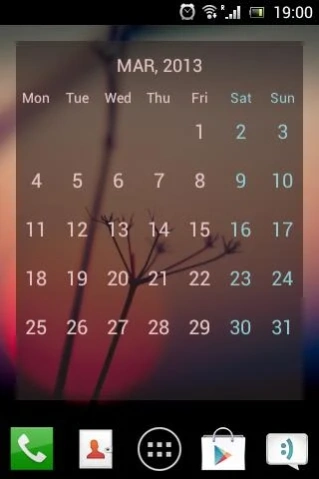
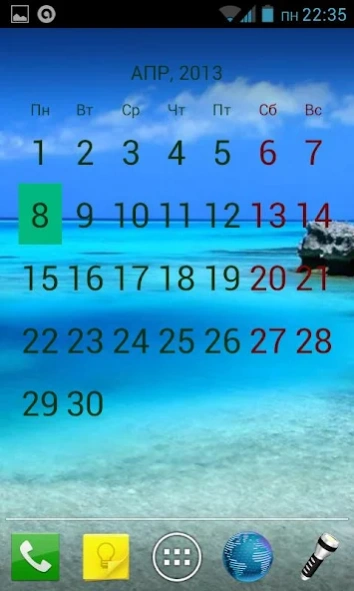
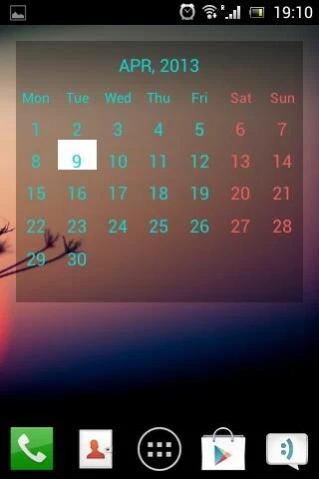
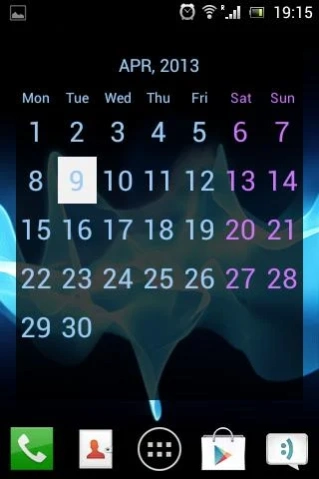
Tunable Full Screen Calendar Widget.
Unlock the full potential of your home screen with Julls' Calendar Widget Pro.
Enjoy a simple yet powerful calendar experience, now enhanced with premium features for even more customization and convenience.
✨ Features:
🖼️ Set any image as a background,
🎨 Customize text, background, weekend colors, and current date marker,
⭐ Highlight days with events from Google Calendar,
📆 Tap on a date to open Google Calendar for that specific day,
↔️ Resize the widget in any direction,
🔠 Adjust font size for better readability,
➕ And more exciting features,
**Feature Details:**
🖼️ Set any image as a background:
Make your calendar truly unique by using any image from your gallery as the widget’s background. Personalize it to reflect your style or match your wallpaper seamlessly.
🎨 Customize text, background, and weekend colors:
Take control of the widget’s appearance by selecting your preferred colors for text, background, and weekends. Highlight the current date with a color of your choice to stay on top of your schedule.
⭐ Highlight days with Google Calendar events:
Never miss an important event again! Automatically highlight days with scheduled events from your Google Calendar for a quick visual overview.
📆 Tap to open Google Calendar:
Easily access Google Calendar by simply tapping on a date in the widget. This functionality allows you to view or manage events for a specific day with ease.
↔️ Resize the widget in any direction:
Whether you have a large or small screen, the Pro version lets you adjust the widget size to fit your layout perfectly.
🔠 Adjust font size:
Enhance readability by customizing the font size to suit your preferences and make the calendar easier to read.
➕ And more exciting features:
Explore additional refinements and tools that make your calendar experience both functional and enjoyable.
Upgrade to Julls' Calendar Widget Pro and take your calendar to the next level.,
About Julls' Calendar Widget Pro
The company that develops Julls' Calendar Widget Pro is Volodymyr Kondratenko. The latest version released by its developer is 3.5.3. This app was rated by 1 users of our site and has an average rating of 3.0.
To install Julls' Calendar Widget Pro on your Android device, just click the green Continue To App button above to start the installation process. The app is listed on our website since 2024-12-06 and was downloaded 69 times. We have already checked if the download link is safe, however for your own protection we recommend that you scan the downloaded app with your antivirus. Your antivirus may detect the Julls' Calendar Widget Pro as malware as malware if the download link to com.ochkarik.jullscalendarpro is broken.
How to install Julls' Calendar Widget Pro on your Android device:
- Click on the Continue To App button on our website. This will redirect you to Google Play.
- Once the Julls' Calendar Widget Pro is shown in the Google Play listing of your Android device, you can start its download and installation. Tap on the Install button located below the search bar and to the right of the app icon.
- A pop-up window with the permissions required by Julls' Calendar Widget Pro will be shown. Click on Accept to continue the process.
- Julls' Calendar Widget Pro will be downloaded onto your device, displaying a progress. Once the download completes, the installation will start and you'll get a notification after the installation is finished.
Program Details
System requirements
Download information
Pricing
Version History
version 3.5.3
posted on 2024-12-06
V 3.5.3
Changes:
1. 🛠️ Added Test Size settings,
2. 📏 Smaller size for wider resize feature,
3. 📅 Now you can have two smaller calendars on the same screen,
,
version 2.7
posted on 2013-11-05
* Fixed a bug where “all day” events would appear on adjacent day in some time zones.,* Time zone setting removed – widget now takes time zone directly from the selected calendar.,* Tap zone to access settings moved to lower right corner.,Thanks to Mike for bug report and testing.
version 2.4
posted on 2013-06-06
Several fixes and updates
